Case study / Engine Simulator
Engine Simulator on iPhone and iPad.
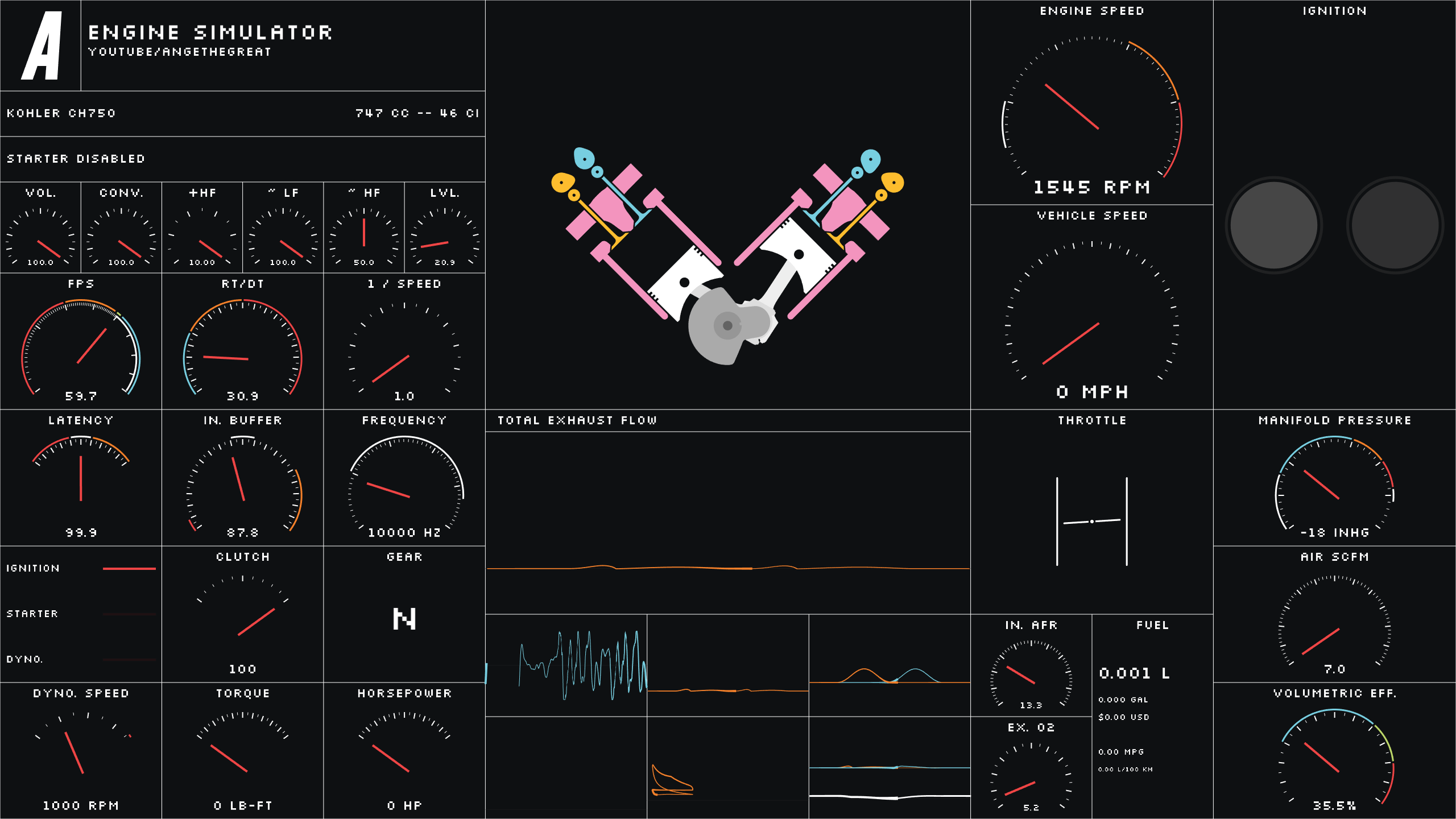
A native iOS port of Ange Yaghi’s open-source Engine Simulator. The simulator itself stays intact; the work is in the platform layer around it—builds, input, lifecycle, rendering, audio, files, and distribution.
- Original
- Ange Yaghi / engine-sim ↗
- Port repo
- NyerahMT / engine-sim-ios ↗
- Targets
- iPhone / iPad / ARM64
- Scope
- Platform integration and mobile adaptation
The starting point
Engine Simulator was already a substantial desktop application. It models internal-combustion engine components in real time, generates audio from the simulated engine rather than prerecorded samples, and loads engine definitions through its own .mr scripting system.
The job was not to recreate that experience in Swift. It was to get the existing application running directly on Apple mobile hardware without breaking the parts that make Engine Simulator what it is.
Porting note
The first milestone in a port is usually easy to describe: get a build and get a frame on screen. The work after that—input, lifecycle, file access, device behavior, and packaging—is what decides whether it feels like a real iOS application or a desktop program forced onto a phone.
Building the iOS layer
The port runs natively on ARM64 iPhone and iPad hardware. SDL3 provides the cross-platform application layer, with Metal-backed rendering on Apple devices and native iOS audio output.
Desktop assumptions had to be replaced where the platform changes the rules. That includes touch input, app suspension and resume behavior, high-refresh displays, local file handling, and interface behavior across different device sizes.
- Native ARM64 application runtime for iPhone and iPad
- Touchscreen controls and device-aware interface behavior
- iOS application lifecycle handling
- Metal-backed GPU rendering through SDL3
- Native audio output and high-refresh-rate support
- Integration with the iOS Files app
Keeping custom engines compatible
Engine Simulator has an existing community around custom engine scripts. Creating a separate mobile-only engine format would have made the port easier in the short term and worse in every other way.
The iOS version keeps support for Engine Simulator’s existing .mr scripts. Custom engines can be imported through iOS and stored in the app’s Custom Engines directory, so community engines can move onto an iPhone or iPad without conversion.
Decision
Preserve the original data format. Platform adaptation should add an iOS path around the software, not create a second ecosystem that has to be maintained separately.
Testing and distribution
The application has been built and tested as an actual iOS app rather than a streamed or remote desktop front end. Distribution work includes code signing, device builds, TestFlight, and the App Store submission path.
Testing on physical hardware matters here because several of the problems that make or break a port—touch behavior, audio, backgrounding, display refresh, file import, and device scaling—do not show up the same way in a desktop build.
- Physical-device testing on iOS hardware
- TestFlight distribution
- App Store packaging and submission workflow
- Mobile engine selection and custom engine importing
Attribution matters
Engine Simulator was created by Ange Yaghi. The iOS project is an unofficial port, not an official release by the original author, and it does not claim ownership of the simulator itself.
The value of the port is the adaptation work: taking an established open-source application and making it behave as a native mobile application while keeping the original project recognizable and compatible.